THE CENTER FOR TEACHING, LEARNING, AND ASSESSMENT @CGCC
  • Instructional Design
    • Course Planning & Design (IDR)
    • Backward Design
    • ID Fellows
  • Instructional Technology
    • Accessible Course Design
    • Canvas
    • Cisco Webex
    • Concourse Syllabus Training
    • Google@CGCC
    • Resources
    • Respondus
    • ScreenPal
    • TurnItIn
  • Teaching & Learning
    • Regular & Substantive Interaction
    • Accessibility Lab (SAL)
    • Be an Effective Teacher
    • Base Camp
    • Gear Up
    • Hybrid Summit
    • Accessibility Peak
    • Teaching & Learning Blog
    • Workshops
  • Assessment
    • Assessment Resources: Templates and Tools
    • HCA Guides
    • Assessment Overview
    • Learning Outcomes at CGCC
  • About Us

Teaching & Learning Blog

Utilizing Social Media for Community Building - Part 1

10/18/2022

0 Comments

 
Picture
Picture

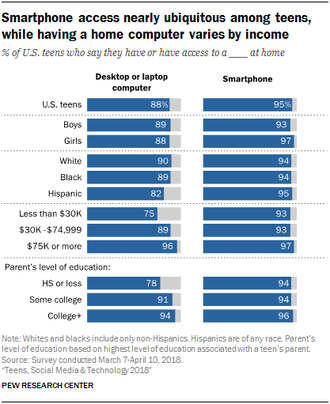
Social media was primarily born inside the walls of higher education, with Facebook getting its start as a way to connect students at Harvard University in 2004. Now eighteen years later, Facebook has 2.934 billion users. That's 500 million more users than the total number of personal computers in use around the globe. Additionally, we can't ignore the gap between students of all financial demographics having more access to a smartphone than personal computers.

The moral of the story – it's impossible for us to stand still on a moving train. ​
Picture

​So let's talk strategy to get moving - as Gen Z becomes college-aged, establishing a meaningful presence on social media has never been more important for higher education programs. Students want nimble and rapid information. This generation is more visually literate than any generation before - After all, they cut rectangles out of the world (make photographs) hourly. They view more pictures before they leave bed than a student in any other generation did in a whole day or maybe a week. Like it or not, we need to bend to their world, not vice-versa. Our students socialize, learn, work, and build identities in this networked world.  
​
​
​TO BE CONTINUED IN PART 2

Examples of using social media to foster campus community by discipline:
Picture
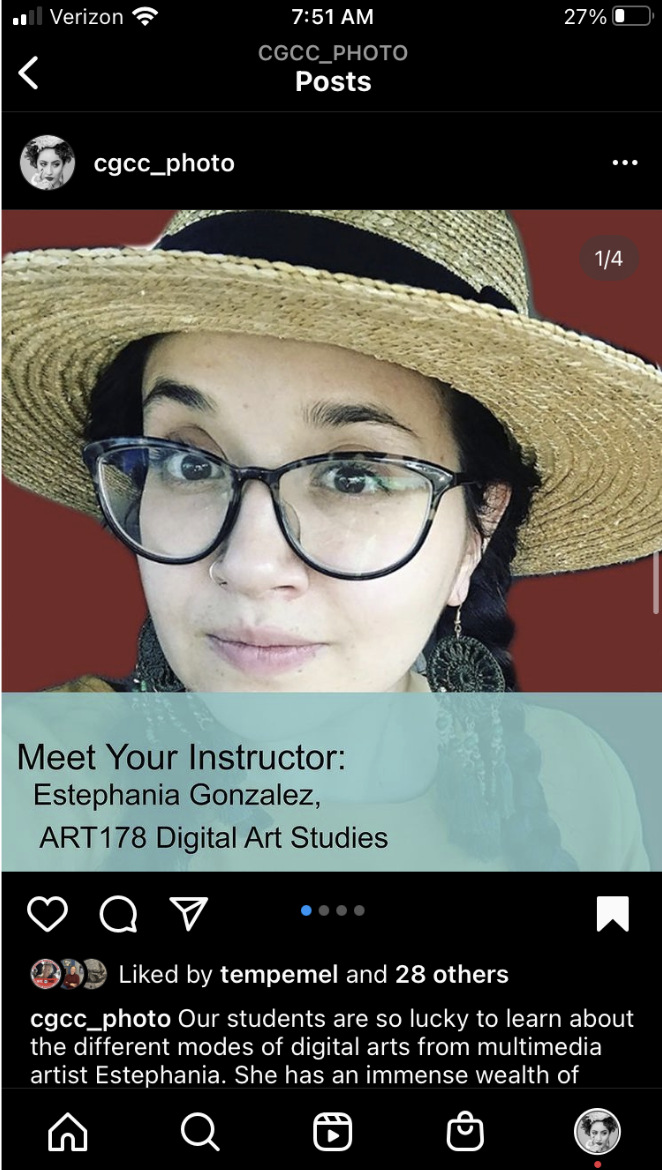
Before every semester, we post a "Meet Your Instructor Post" with information about our faculty, their interest in the arts, and the classes they teach. 

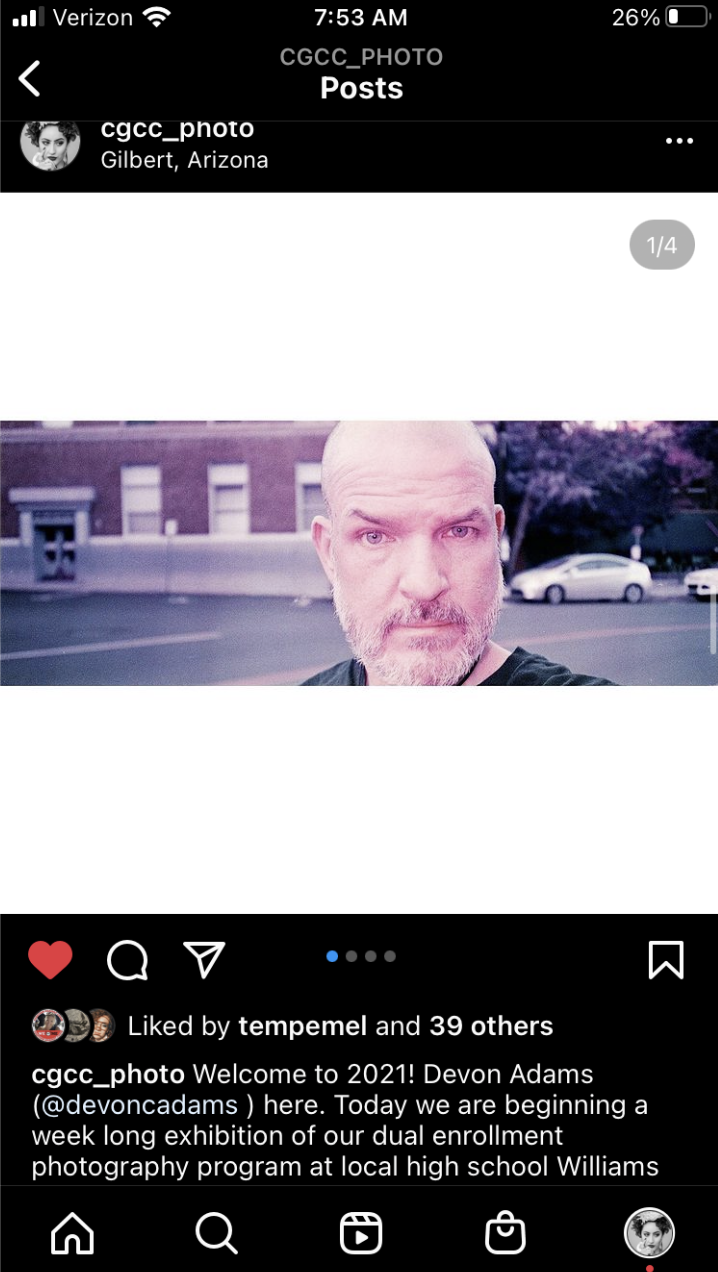
Dual Enrollment Teacher Take Overs, where dual enrollment teachers share their work and their students' work. These posts have helped connect possible future students to our program. ​
Picture

Examples of using social media to foster community between our students and a larger community:

​These posts are examples of 
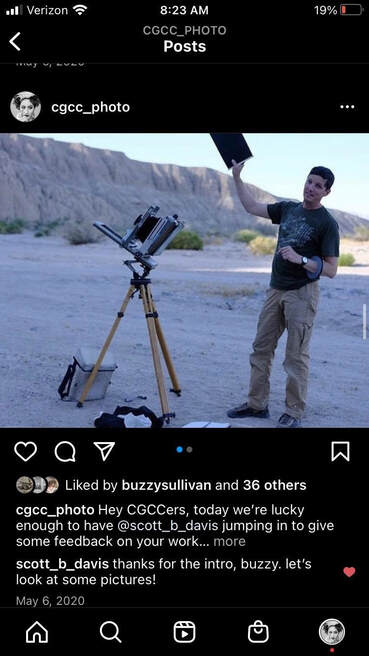
Virtual Guest Critiques by photography professionals like UCSD Professor Scott B. Davis and Guggenheim Fellow Cheryle St.Onge, where our students get outside guidance and insights from industry professionals.
Picture
Picture


​In the video demo (to the right), I will show you how to quickly and effectively edit your images using a free app, Adobe Photoshop Express.

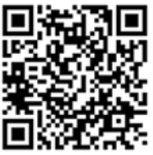
To get the app go to Apple App Store or Android Play Store, or scan this QR code:
Picture

Share Your Ideas
Picture
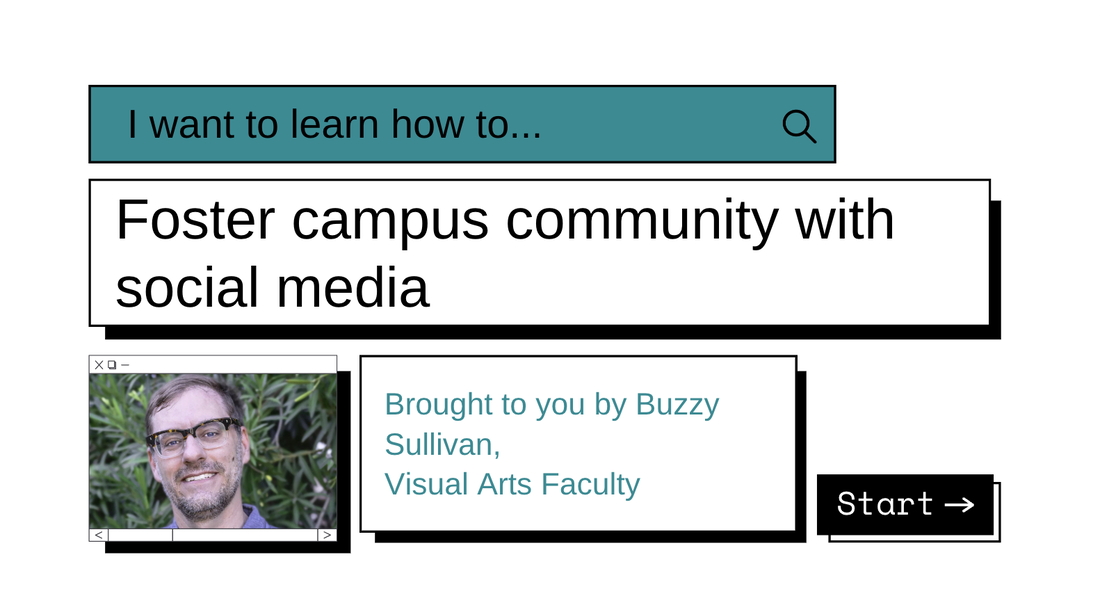
If you have other creative ways to utilize Social Media and/or Community Building please let us know at: [email protected]. Special thanks to Buzzy for sharing how to quickly edit images, and build community! Part 2 will have more helpful information and examples.
​

Your Faculty Liaisons, Jen & Vanessa
0 Comments

Your comment will be posted after it is approved.


Leave a Reply.

    Picture

    Categories

    All
    Accessibility
    Asynchronous (Fully Online) Courses
    Audio
    Canvas
    ChatGPT
    Cisco Webex
    Communicating With Students
    EdTech
    Faculty Development
    Free
    Google
    Graphic/Course Design
    Hybrid Teaching
    Hyflex
    Instructional Technology
    Interactive Tools
    Live Online... Live
    Multiple Attendance Options
    OER
    Policies
    Professional Development
    Teaching Tips
    Tech Tuesday
    Video

    Author

    Awesome people who want to help you do awesome stuff in the classroom! Join the conversation here or in our Facebook Group: CGCC Center for Teaching, Learning, and Assessment 

    Archives

    February 2025
    November 2024
    October 2024
    September 2024
    March 2024
    February 2024
    January 2024
    October 2023
    September 2023
    August 2023
    May 2023
    April 2023
    March 2023
    February 2023
    January 2023
    December 2022
    November 2022
    October 2022
    September 2022
    August 2022
    May 2022
    April 2022
    March 2022
    February 2022
    January 2022
    December 2021
    November 2021
    October 2021
    September 2021
    August 2021
    July 2021
    May 2021
    April 2021
    March 2021
    February 2021
    January 2021
    December 2020
    November 2020
    October 2020
    September 2020
    August 2020
    May 2020
    April 2020
    March 2020
    February 2020
    January 2020

    RSS Feed

The Center for Teaching, Learning, and Assessment
Chandler-Gilbert Community College


Topics

Adjunct Faculty
Canvas
Help & How to Guides
Staff Resources
Workshops
Assessment

Support Hours

Fall 🍁 and Spring 🌸
Monday - Thursday: 9am - 5pm
Friday: 9am - 4pm

Summer ☀️
Monday - Thursday: 8am - 4pm

Contact Us

Phone: 480-726-4245
Email: [email protected]
Pecos Campus: MSQ150

After Hours Assistance

Maricopa IT After Hours Chat 
Support Line: 1.888.994.4433
Submit a ticket to [email protected]

Picture
Submit a Request for Assistance
Request for Cross-listing/Combining Canvas Courses
CTLA Compliance Notice 
© Chandler-Gilbert Community College, 2025.
  • Instructional Design
    • Course Planning & Design (IDR)
    • Backward Design
    • ID Fellows
  • Instructional Technology
    • Accessible Course Design
    • Canvas
    • Cisco Webex
    • Concourse Syllabus Training
    • Google@CGCC
    • Resources
    • Respondus
    • ScreenPal
    • TurnItIn
  • Teaching & Learning
    • Regular & Substantive Interaction
    • Accessibility Lab (SAL)
    • Be an Effective Teacher
    • Base Camp
    • Gear Up
    • Hybrid Summit
    • Accessibility Peak
    • Teaching & Learning Blog
    • Workshops
  • Assessment
    • Assessment Resources: Templates and Tools
    • HCA Guides
    • Assessment Overview
    • Learning Outcomes at CGCC
  • About Us