 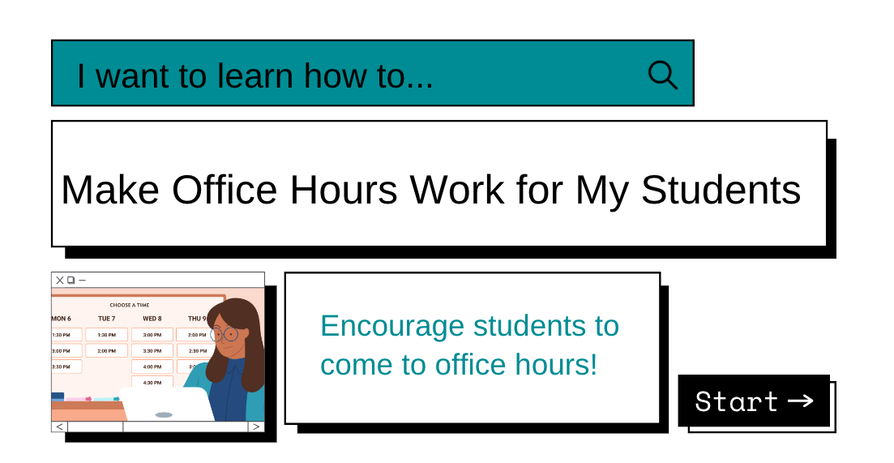
There are many reasons students do not see the benefits of office hours. Students do not want to "bother" the teacher or they may not think they are worthy of the teacher’s time. The hours posted often conflict with their class or work schedule. They may not feel comfortable talking with their instructor without other students around. Students may not know what is appropriate to ask or how much time they can take with the faculty member.  To encourage students to come to office hours, faculty can help prepare students to meet with them outside of the class. Faculty can invite students weekly or at various times related to course assignments. And, faculty can post their virtual hours and in-person office hours in a way that students can easily sign up. Prepare Students Explicitly explain the norms and the benefits of meeting with you outside of class. Students may not know where to find you, when you are available, and the many ways you can help them. They may not remember that the details are in the syllabus. Let students know the best ways to connect with you and how much time you have to talk. It might be necessary to remind your students how to find your office, the library study room, or how to log on to Webex or Google Meet. Providing simple directions or instructions makes the first step easier. For example, Estrella (EST) Hall's first-floor entrance is behind the staircase. The side doors are locked. My office door will be open. By the way, expect those who get lost to be the ones who are also lost in class. They are the ones who most need to talk to you outside of class.
April may be the best time to know where they stand in the class, check in about learning accommodations, discuss a planned absence, or follow up after an absence because the 8-week course moves full speed ahead and there is still time in a 16-week course to pick up steam.  Invite Them If you are teaching online, invite students to meet with you in an open format at different times of the day. You may want to have "Pop Up Professor" hours before the exam, paper, or project for students to easily connect with you. It may be helpful to get out of the standard 8 to 5 workday and offer 7 pm to 9 pm on Thursday or 10 am to 12 pm on Saturday. By using a sign-up tool such as Google Sheets or Calendy, faculty will know if students plan on showing up and students can know if others are joining in. If you are teaching in person, invite students to meet with you in the classroom 5 minutes before or after class. Let them know you have time and that it is important to connect. Or set aside time in class to meet with individual students or small groups. Holding office hours in different places can also help students feel more comfortable in an open environment like the Library and get students to campus opportunities they should know about, such as Student Life and Leadership.  Posting Hours Rebranding your office hours to student support hours, coffee chats, study hall, or pizza with the professor allows students to know the meeting is less formal and more of an open discussion. With the coffee chats, you could ask them to bring their favorite coffee or cup and then the first topic is naturally about coffee. A themed discussion could cover a challenging or controversial topic. Stating that the time is for Project Problems, Exam Preview, APA Simplified, or other themes lets students know where the conversation is going to start. Requiring students to attend office hours if they need to complete an honors contract, request a letter of recommendation, need assistance with APA or MLA citation, or additional help with an assignment changes the student's perspective of office hours from an optional to essential meeting time. Available upon request or by appointment can be daunting for students to set up, similar to a doctor's appointment where a fee is charged for not showing up or a dentist appointment so many people dread. Change this up by setting up specific dates and times available with a "Pop Up Professor" or allowing students to schedule 5-10 minutes with Canvas Webex office hours each week. You could also allow students to tune in to your live stream and leave questions that you can answer in real-time. Learn how to broadcast a Zoom meeting to YouTube, click here for written instructions or here for a video tutorial.  Making your office hours work for your students also means the time works for you. Your student support hours or study hall will help students succeed in your class and overall in their college experience. Students will know you better and feel more connected to CGCC!  Share Your Ideas
For upcoming Tech Tuesdays, we will be calling on you to share your experience and examples. If you cannot wait to share, please contact us at [email protected] and [email protected]. Your Faculty Liaisons, Jen & Vanessa
0 Comments
Your comment will be posted after it is approved.
Leave a Reply. |

Categories
All
Author
Awesome people who want to help you do awesome stuff in the classroom! Join the conversation here or in our Facebook Group: CGCC Center for Teaching, Learning, and Assessment Archives
October 2023
|


 RSS Feed
TOPICS |
SUPPORT HoursMonday - Thursday
8am - 4pm Friday - Out for Summer |
|

© Chandler-Gilbert Community College, 2024.