
THE CENTER FOR TEACHING, LEARNING, AND ASSESSMENT @CGCC
  • Instructional Design
    • Course Planning & Design (IDR)
    • Backward Design
    • ID Fellows
  • Instructional Technology
    • Accessible Course Design
    • Canvas
    • Cisco Webex
    • Concourse Syllabus Training
    • Google@CGCC
    • Respondus
    • ScreenPal
    • TurnItIn
  • Teaching & Learning
    • Regular & Substantive Interaction
    • Accessibility Lab (SAL)
    • Be an Effective Teacher
    • Base Camp
    • Gear Up
    • Hybrid Summit
    • Accessibility Peak
    • Teaching & Learning Blog
    • Workshops
  • Assessment
    • Assessment Resources: Templates and Tools
    • HCA Guides
    • Learning Outcomes at CGCC
  • About Us

Teaching & Learning Blog

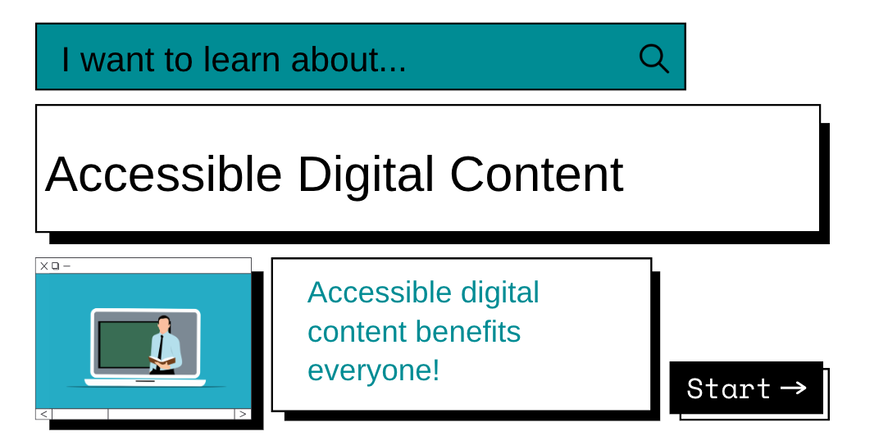
Accessible Digital Content

4/18/2023

0 Comments

 
Picture
Picture
Picture
Course design should factor in accessibility from the beginning and then be checked each time we prepare and present new content. Doing so at the start of your course design saves time and helps ensure all students can access the content, assignments, and resources from day one.
When some design considerations are not addressed, here are some of the challenges students encounter when trying to learn:
  • Students with a hearing impairment miss the video content when closed captions are not available.
  • Students who are color blind cannot see the correct answers in green and the wrong answers in red on the study guide.
  • Students using screen reader software due to visual impairments will not be able to read documents with inconsistent formatting (i.e. font size, style, and color scheme) or if they are not able to highlight the text.


Accessible course design takes continuous time and attention, so this week we will look at just a few tips and resources to start or continue on the right track.


Picture
Accessibility Tips
  • Openly communicating with all students about their access requirements.
  • Always thinking from the student's perspective, because everyone has different access needs.
  • Make sure to have close captioning available for third-party video resources.
  • Create your videos with YouTube closed captioning and check the captioning for accuracy.
  • Use an accessible format such as consistent font size and style, a high color contrast scheme, along with the ability to highlight text.
  • San serif fonts (such as Arial used in Tech Tuesday posts) are typically better for learners with processing differences. 
  • Breaking text into columns is easier to process.


Resources
There are many resources available, such as these highly informational websites and videos:

  • Google: Google Docs Accessibility
  • Microsoft: Creating Accessible PowerPoint Presentations
  • AHEAD - Association of Higher Education and Disability
  • American Council on Disabilities

Office of Civil Rights Digital Accessibility

The U.S. Department of Education’s Office for Civil Rights presents a variety of topics on digital access in education, including how people with disabilities use technology, applicable Federal regulations, and identifying and remediating barriers to access in the eighteen 3-5 minute video series. Here is introduction video of the series:
For questions or comments regarding the video series, please contact the Office for Civil Rights.

Picture
Please Share
Tell us the ways you have made your course more accessible or where you are still working on designing an accessible course for all students. We would like to share your ideas and experience in an upcoming Tech Tuesday, and our CTLA team can help with accessibility and universal design for learning (UDL). Send your strategies, experiences, or questions to us at [email protected] and [email protected].
Your CTLA Faculty Liaisons, Jen & Vanessa
0 Comments

Your comment will be posted after it is approved.


Leave a Reply.

    Picture

    Categories

    All
    Accessibility
    Asynchronous (Fully Online) Courses
    Audio
    Canvas
    ChatGPT
    Cisco Webex
    Communicating With Students
    EdTech
    Faculty Development
    Free
    Google
    Graphic/Course Design
    Hybrid Teaching
    Hyflex
    Instructional Technology
    Interactive Tools
    Live Online... Live
    Multiple Attendance Options
    OER
    Policies
    Professional Development
    Teaching Tips
    Tech Tuesday
    Video

    Author

    Awesome people who want to help you do awesome stuff in the classroom! Join the conversation here or in our Facebook Group: CGCC Center for Teaching, Learning, and Assessment 

    Archives

    February 2025
    November 2024
    October 2024
    September 2024
    March 2024
    February 2024
    January 2024
    October 2023
    September 2023
    August 2023
    May 2023
    April 2023
    March 2023
    February 2023
    January 2023
    December 2022
    November 2022
    October 2022
    September 2022
    August 2022
    May 2022
    April 2022
    March 2022
    February 2022
    January 2022
    December 2021
    November 2021
    October 2021
    September 2021
    August 2021
    July 2021
    May 2021
    April 2021
    March 2021
    February 2021
    January 2021
    December 2020
    November 2020
    October 2020
    September 2020
    August 2020
    May 2020
    April 2020
    March 2020
    February 2020
    January 2020

    RSS Feed

The Center for Teaching, Learning, and Assessment
Chandler-Gilbert Community College


Topics

Adjunct Faculty
Canvas
Help & How to Guides
Staff Resources
Workshops
Assessment

Support Hours

Fall 🍁 and Spring 🌸
Monday - Thursday: 9am - 5pm
Friday: 9am - 4pm

Summer ☀️
Monday - Thursday: 8am - 4pm

Contact Us

Phone: 480-726-4245
Email: [email protected]
Pecos Campus: MSQ150

After Hours Assistance

Maricopa IT After Hours Chat 
Support Line: 1.888.994.4433
Submit a ticket to [email protected]

Picture
Submit a Request for Assistance
Request for Cross-listing/Combining Canvas Courses
CTLA Compliance Notice 
© Chandler-Gilbert Community College, 2025.
  • Instructional Design
    • Course Planning & Design (IDR)
    • Backward Design
    • ID Fellows
  • Instructional Technology
    • Accessible Course Design
    • Canvas
    • Cisco Webex
    • Concourse Syllabus Training
    • Google@CGCC
    • Respondus
    • ScreenPal
    • TurnItIn
  • Teaching & Learning
    • Regular & Substantive Interaction
    • Accessibility Lab (SAL)
    • Be an Effective Teacher
    • Base Camp
    • Gear Up
    • Hybrid Summit
    • Accessibility Peak
    • Teaching & Learning Blog
    • Workshops
  • Assessment
    • Assessment Resources: Templates and Tools
    • HCA Guides
    • Learning Outcomes at CGCC
  • About Us