

Why pre-Planning?
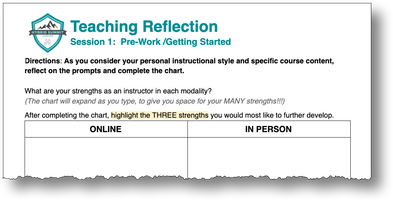
The purpose of the pre-work is to give you the opportunity to reflect on what you already know about teaching: online, in-person and in the hybrid format. What do you love (or at least appreciate) about being in a classroom full of students? What is something that has surprised you about online learning? What are your personal strengths and challenges in each modality?
Step 1: Reflect on your teaching
Beginning with the reflection will help you pull the best teaching practices from each modality, honoring your unique content and teaching style, to create or enhance your hybrid course.
|
Hybrid will not look the same across all courses. The goal is to take the best of online learning, the best of in person learning and build a bridge between the two to create a seamless, comprehensive learning experience for students.
|
Step 2: Investigate recommended practices
Read "An Introduction to Hybrid Teaching" from the College of DuPage.
Licensed under a Creative Commons Attribution-Non Commercial 4.0 International Licensure (CC BY-NC 4.0)
Reflect: “Questions to Consider” (p. 10-11)
Licensed under a Creative Commons Attribution-Non Commercial 4.0 International Licensure (CC BY-NC 4.0)
Reflect: “Questions to Consider” (p. 10-11)
- What do you see as next steps for planning/redesigning your course for the hybrid format?
- What is your biggest aha or take away?
Step 3: Reflect on your content
|
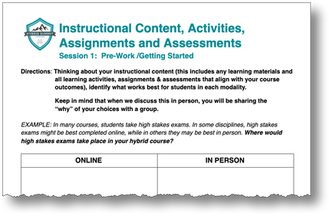
Thinking about your instructional content (this includes any learning materials and all learning activities, assignments & assessments that align with your course outcomes), identify what works best for students in each modality.
Sometimes it's useful to ask yourself why you are having certain items in certain modalities - is it habit, or have you really placed the activities where they will have the biggest impact on learning? |
Step 4: Focus on student learning
Remember the article "Why the Term "Hybrid Class" Continues to Confuse" from the Chronicle of Higher Ed? Well if you and I are confused about a hybrid class and how best to structure it, just imagine how confused potential students are! Why will students want to take your hybrid class? How will you design it such that it supports their learning?
|
Elevator pitches got their name because they were originally associated with entrepreneurs who had the time it took for an elevator to go from the lobby to the executive suite (about two minutes) to convince a would-be investor of the value of his or her business or invention. The concept has evolved and is now used to fit a variety of important interactions. SOURCE: Elevator Pitches: Showcasing Your Business [from Purdue University] |
Imagine you are going to be writing an Elevator Pitch for prospective students, “selling” them on your hybrid course. In this pitch, you will explain the rationale for using the hybrid learning approach in your course and share the learning benefits to students. Answering the question “what’s in it for me?” is critical in an elevator pitch!
This mental exercise will help you to focus on what's important to students while you are planning your course. |
|
EXERCISE: List the top 5 reasons why your hybrid course will be of value to prospective students:
|
Once you are ready to communicate with students, you could use your Top 5 list to create an actual pitch! Check out some samples from Hybrid Summit participants. |