
THE CENTER FOR TEACHING, LEARNING, AND ASSESSMENT @CGCC
  • Instructional Design
    • Course Planning & Design (IDR)
    • Backward Design
    • ID Fellows
  • Instructional Technology
    • Accessible Course Design
    • Canvas
    • Cisco Webex
    • Concourse Syllabus Training
    • Google@CGCC
    • Resources
    • Respondus
    • ScreenPal
    • TurnItIn
  • Teaching & Learning
    • Regular & Substantive Interaction
    • Accessibility Lab (SAL)
    • Be an Effective Teacher
    • Base Camp
    • Gear Up
    • Hybrid Summit
    • Accessibility Peak
    • Teaching & Learning Blog
    • Workshops
  • Assessment
    • Assessment Resources: Templates and Tools
    • HCA Guides
    • Assessment Overview
    • Learning Outcomes at CGCC
  • About Us

Teaching & Learning Blog

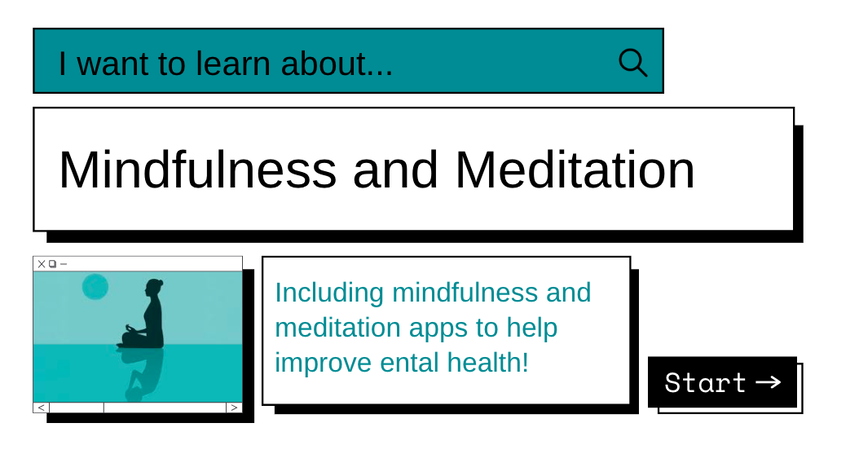
Mindfulness and Meditation Apps

2/14/2023

1 Comment

 
Picture
Picture
Picture
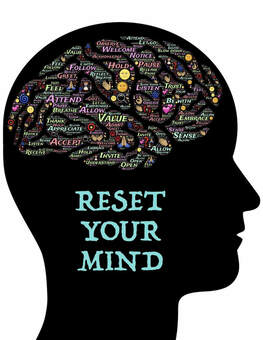
We know there are things to improve our own mental health, such as exercising, proven to decrease anxiety and feel more relaxed; communicating, in person and virtually helps us to feel connected and supported; and listening to mindfulness meditation, which studies show can decrease blood pressure during stress and help increase our overall well-being.
Too Busy to Meditate? Don’t Worry!
There are many apps to download to your smartphone or tablet that focus solely on mindfulness and meditation. Most are easy to use and in many cases, they are free to start. Even if you take just a short time-out each day to hit the reset button or to help unwind for a better night's sleep, or search for an app to help you and your students, consider these picks.


Simple Habit
This app nicely pairs with your first cup of coffee because you can get started in five minutes! Simple Habit is a meditation app has thousands of short sessions taught by mindfulness teachers to guide you and your students. Easy to find. Easy to use. Simple!
Picture

Headspace
If you want a focus on being and staying present and less on spirituality, Headspace offers a series using proven meditation and mindfulness techniques that could help you reset your mind, reduce anxiety, and sleep better. Consider this app if you are trying meditation for the first time or want to have more structure with short sessions. There are meditate, sleep, move, and focus features, which give you plenty of choices regardless of your experience.
Picture
Picture
Calm
The free version of the Calm app has a variety of offerings, such as guided meditations of varying levels, lengths, and focuses, sleep stories, breathing exercises, and nature sounds. The app has content designed for beginners as well as intermediate and advanced users with guided sessions from 3 to 25 minutes. There are a variety of topics, such as managing stress, deep sleep, and breathing exercises, along with options to track progress with gamification elements.

Ten Percent Happier
Ten Percent Happier offers clear and simple meditation lessons.
A New York Times bestselling author and an ABC News anchor, Dan Harris, leads the app. He suffered an on-air panic attack in 2004, which prompted him to write the book 10% Happier. The app features quick meditations, which you can do whenever you have a spare moment, from many respected teachers.
             10% Happier | Dan Harris | Talks at Google | 50 minutes

Picture
Share Your Ideas
Special thanks for the inspiration and good ideas from Trine and Julia. Trine Bourke, our Fitness Center Director, shared a multitude of mindfulness resources in the last Mindfulness and Hydration Challenge. Our CTLA Office Assistant, Julia Glodoski, highlighted meditation tech tools in the December 2022 blog.
For upcoming Tech Tuesdays, we will be calling on you to share your experience and examples. If you cannot wait to share, please contact us at [email protected] and [email protected].
Your Faculty Liaisons, Jen & Vanessa
1 Comment
Frances link
4/13/2023 09:51:18 pm

Your extraordinary profound gifts and abilities are your reason for living.

Reply

Your comment will be posted after it is approved.


Leave a Reply.

    Picture

    Categories

    All
    Accessibility
    Asynchronous (Fully Online) Courses
    Audio
    Canvas
    ChatGPT
    Cisco Webex
    Communicating With Students
    EdTech
    Faculty Development
    Free
    Google
    Graphic/Course Design
    Hybrid Teaching
    Hyflex
    Instructional Technology
    Interactive Tools
    Live Online... Live
    Multiple Attendance Options
    OER
    Policies
    Professional Development
    Teaching Tips
    Tech Tuesday
    Video

    Author

    Awesome people who want to help you do awesome stuff in the classroom! Join the conversation here or in our Facebook Group: CGCC Center for Teaching, Learning, and Assessment 

    Archives

    February 2025
    November 2024
    October 2024
    September 2024
    March 2024
    February 2024
    January 2024
    October 2023
    September 2023
    August 2023
    May 2023
    April 2023
    March 2023
    February 2023
    January 2023
    December 2022
    November 2022
    October 2022
    September 2022
    August 2022
    May 2022
    April 2022
    March 2022
    February 2022
    January 2022
    December 2021
    November 2021
    October 2021
    September 2021
    August 2021
    July 2021
    May 2021
    April 2021
    March 2021
    February 2021
    January 2021
    December 2020
    November 2020
    October 2020
    September 2020
    August 2020
    May 2020
    April 2020
    March 2020
    February 2020
    January 2020

    RSS Feed

The Center for Teaching, Learning, and Assessment
Chandler-Gilbert Community College


Topics

Adjunct Faculty
Canvas
Help & How to Guides
Staff Resources
Workshops
Assessment

Support Hours

Fall 🍁 and Spring 🌸
Monday - Thursday: 9am - 5pm
Friday: 9am - 4pm

Summer ☀️
Monday - Thursday: 8am - 4pm

Contact Us

Phone: 480-726-4245
Email: [email protected]
Pecos Campus: MSQ150

After Hours Assistance

Maricopa IT After Hours Chat 
Support Line: 1.888.994.4433
Submit a ticket to [email protected]

Picture
Submit a Request for Assistance
Request for Cross-listing/Combining Canvas Courses
© Chandler-Gilbert Community College, 2025.
  • Instructional Design
    • Course Planning & Design (IDR)
    • Backward Design
    • ID Fellows
  • Instructional Technology
    • Accessible Course Design
    • Canvas
    • Cisco Webex
    • Concourse Syllabus Training
    • Google@CGCC
    • Resources
    • Respondus
    • ScreenPal
    • TurnItIn
  • Teaching & Learning
    • Regular & Substantive Interaction
    • Accessibility Lab (SAL)
    • Be an Effective Teacher
    • Base Camp
    • Gear Up
    • Hybrid Summit
    • Accessibility Peak
    • Teaching & Learning Blog
    • Workshops
  • Assessment
    • Assessment Resources: Templates and Tools
    • HCA Guides
    • Assessment Overview
    • Learning Outcomes at CGCC
  • About Us